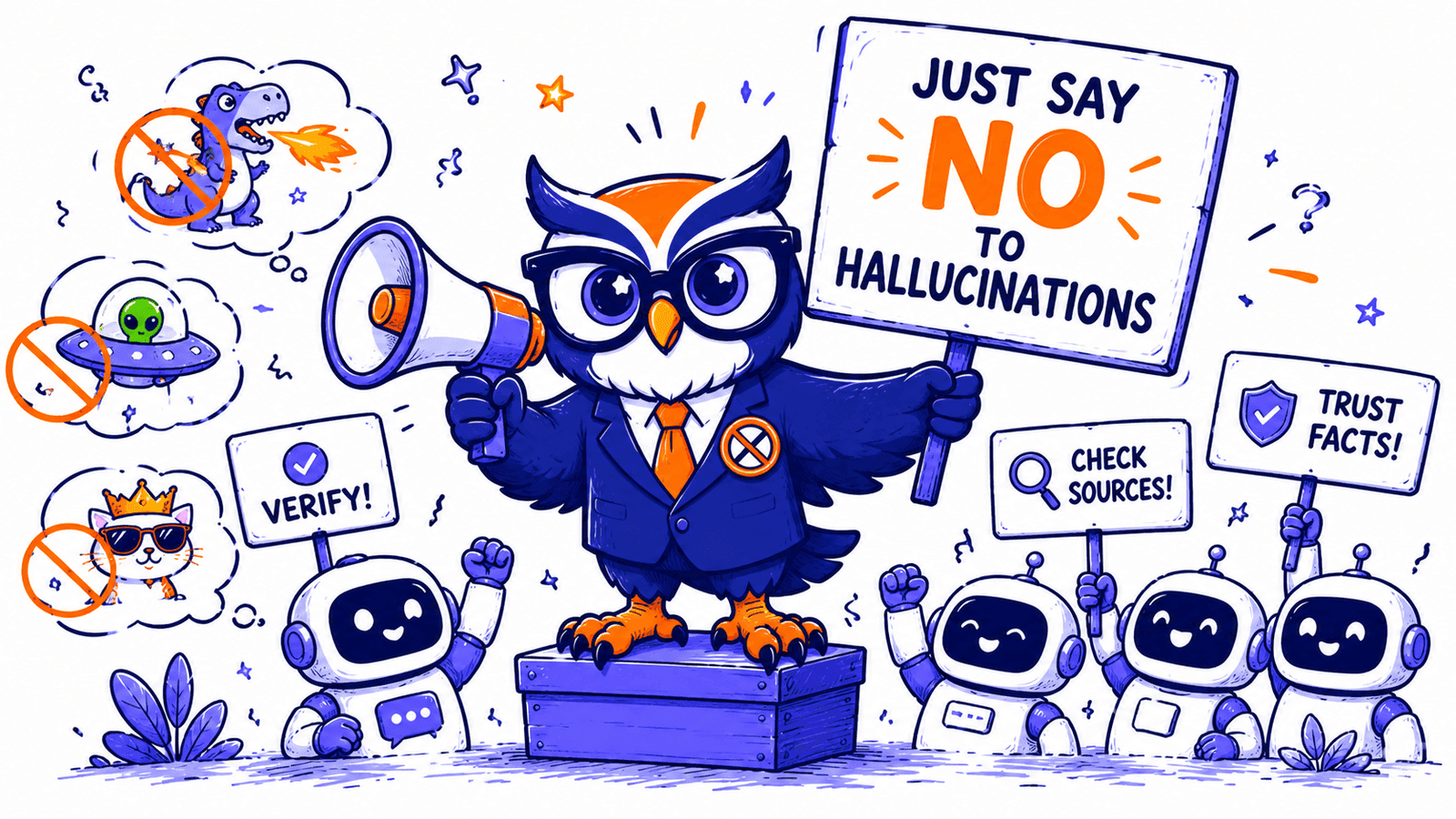
There is no magic "no hallucinations" toggle. Anyone telling you otherwise is selling you something.
Stack the right techniques and you get close enough to zero that the gap stops mattering in production. I'm going to walk you through the stack we use at PromptOwl—the one powering agents that handle everything from clinical decision support to education—and give you the practical steps to apply it to your own private GPT.
Why Your Model Keeps Making Things Up
Your LLM isn't confused so much as oblivious—it has no native way to tell what it actually knows from what merely sounds plausible. On top of that, it's been trained to be obedient: refusing to answer was systematically under-rewarded along the way, so it learned that producing a confident response almost always beats abstaining. You asked it to produce an answer, so it produced one—even when it had nothing credible to draw from. When it lacks a correct answer, or one that it predicts will not please you, it invents something that pattern-matches what you want to hear.
That's the root cause. Everything that follows is designed to close that gap—prompt by prompt, block by block, tool by tool.
A hallucination in a customer support bot costs you a refund—and increasingly, a lawsuit. Courts are already ruling that companies are liable for what their AI tells customers. Phony citations have become a massive problem—an online legal hallucination database has tracked more than 900 such cases in the United States alone.
It happens at the highest levels. Reuters recently reported that South Africa's draft AI policy was withdrawn after it was found to contain fictitious, AI-generated citations. The Minister of Communications called it a direct compromise of the policy's integrity:
"This unacceptable lapse proves why vigilant human oversight over the use of artificial intelligence is critical."
Whether it's a withdrawn policy, a lost customer, or a fatal clinical error, the root model behavior is identical—only the stakes change. Not all hallucinations carry equal risk, so you must define your risk zones before building. An internal summary might tolerate imperfection while a medical tool cannot. But regardless of your use case, you should architect for the high end.
Here's the stack.
WAIT, WHAT IS A PROMPT?
When we say "prompt," we aren't talking about the message you type into a chat box. We're talking about the system instructions—the architecture of how the conversation is set up before a user ever says hello. In Gemini, these are Gems. In Claude, they are Projects. In PromptOwl, they are simply Prompts.
1. Write the Prompt to Refuse, Not Invent
This is the fastest win in the stack.
Open your system prompt and give the model an explicit exit ramp for uncertainty. Not vague—concrete. Something like:
Only answer based on the provided knowledge base. If you don't have specific information about something, say: 'I don't have specific information about that—I'd suggest checking [resource].'Give it a template to copy, not a rule to interpret—models follow templates far more reliably than abstract instructions. Define what's out of scope, who to escalate to, and the exact phrasing for "I don't know." Write it out word for word. The more specific the exit ramp, the less room the model has to improvise around it.
If your agent answers from retrieved documents (and it should—more on that next), add this line: "Never make claims not directly supported by the provided context." That one sentence does a lot of heavy lifting.
2. Give the Model Something to Answer From
Hallucinations drop sharply when an agent answers from your documents instead of its training data. Research in clinical AI settings has found that ungrounded models produce clinically inappropriate advice in a significant share of cases. Ground the model in your sources and that number drops dramatically.
There are two distinct mechanisms for grounding your model: Persistent Context and RAG. They solve different problems, and production agents need both.
Mechanism A: Persistent Context
Persistent context is where you hold the living documents: your SOPs, your playbooks, your brand guidelines. These are rules that change with every strategic decision. A pricing update, a shifted ICP, a new compliance rule—that context needs to be current and present before the first token of every conversation, not retrieved after the fact.
This is what ContextNest handles. It acts as a local, governed knowledge base that loads automatically into your AI session. By keeping your Prime Documents synced locally, your model is never operating on last month's reality. It is dynamic, but always present.
Mechanism B: RAG (Retrieval-Augmented Generation)
While Persistent Context holds your living rules, RAG is for your massive, stable data—a medical literature database, a legal library, a product catalog. The agent searches your document database for relevant passages at query time, pulls the most pertinent chunks, augments the prompt, and generates the answer from that evidence.
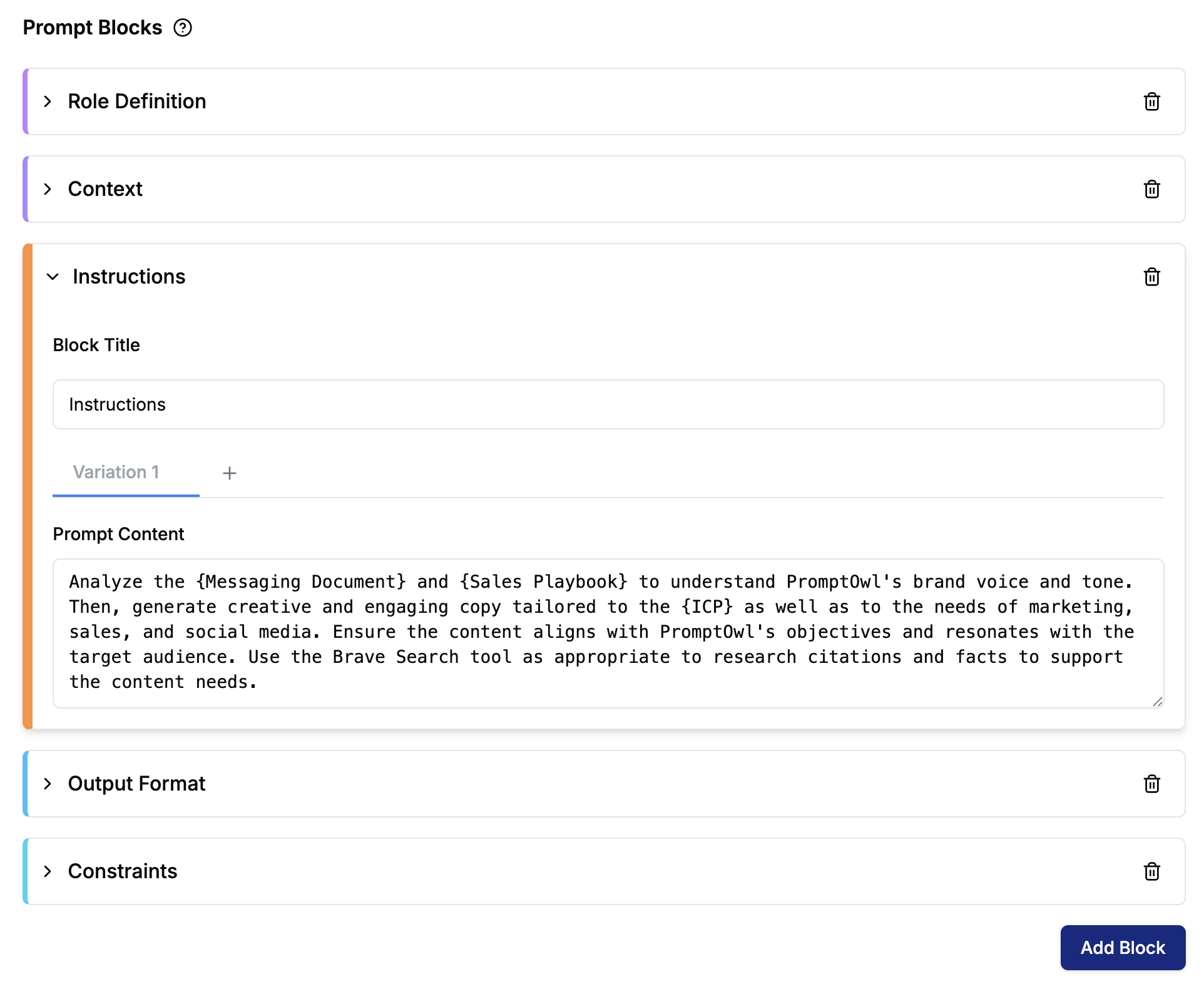
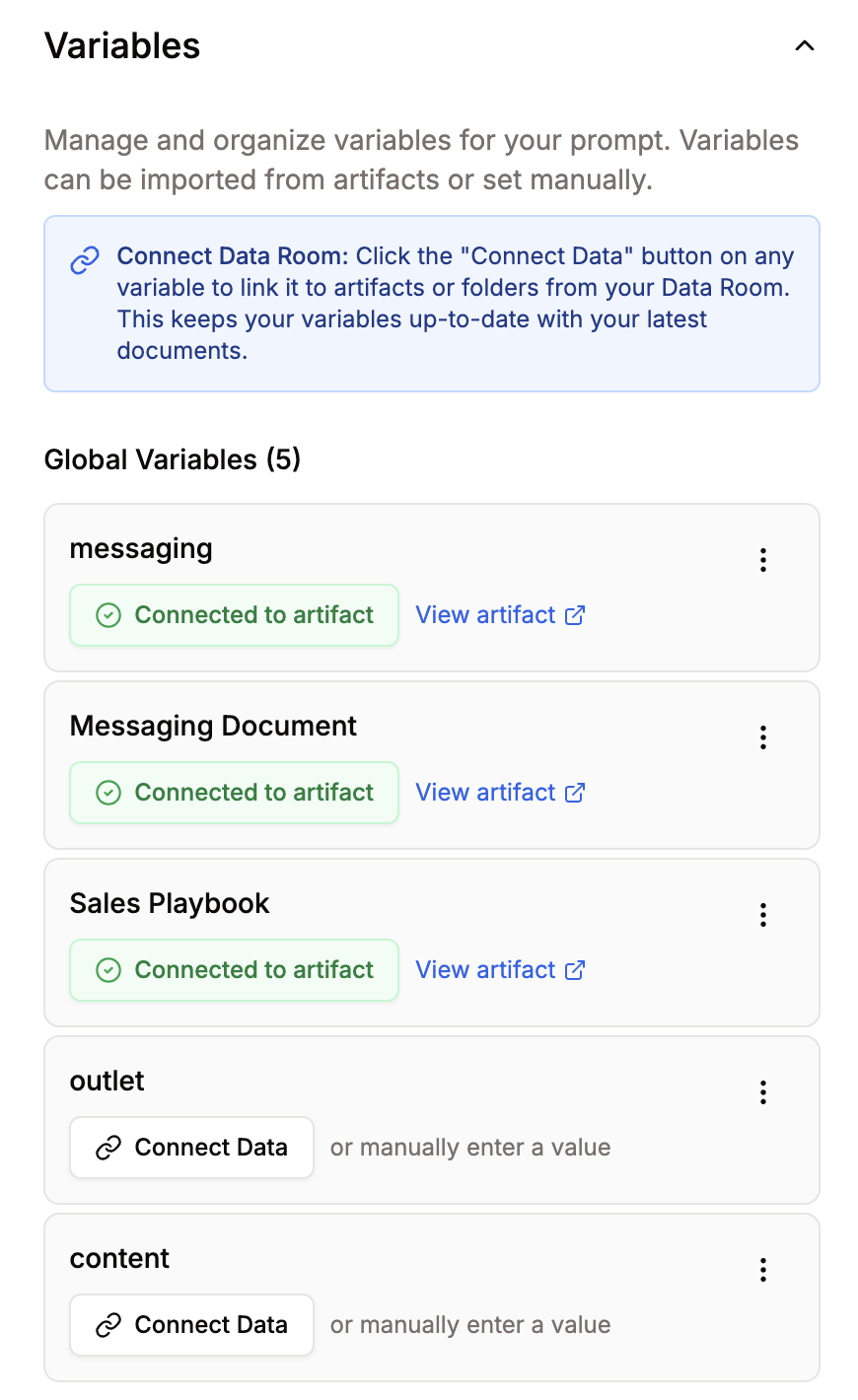
In PromptOwl, this is powered by the Data Room—where you upload your sources and set metadata that flows directly into user-facing citations. There are two ways to wire this knowledge into your agent in the Prompt Builder:
- Prompt-level RAG—click Add Variable, name it (e.g.,
knowledge_base), click Connect Data, pick your folder or document, and reference it in the system prompt as{knowledge_base}. The agent has that knowledge on every query. - Block-level RAG—for Sequential or Supervisor flows, set the Dataset field on a specific block. That block retrieves on demand. Useful when only one step in your pipeline needs the documents.
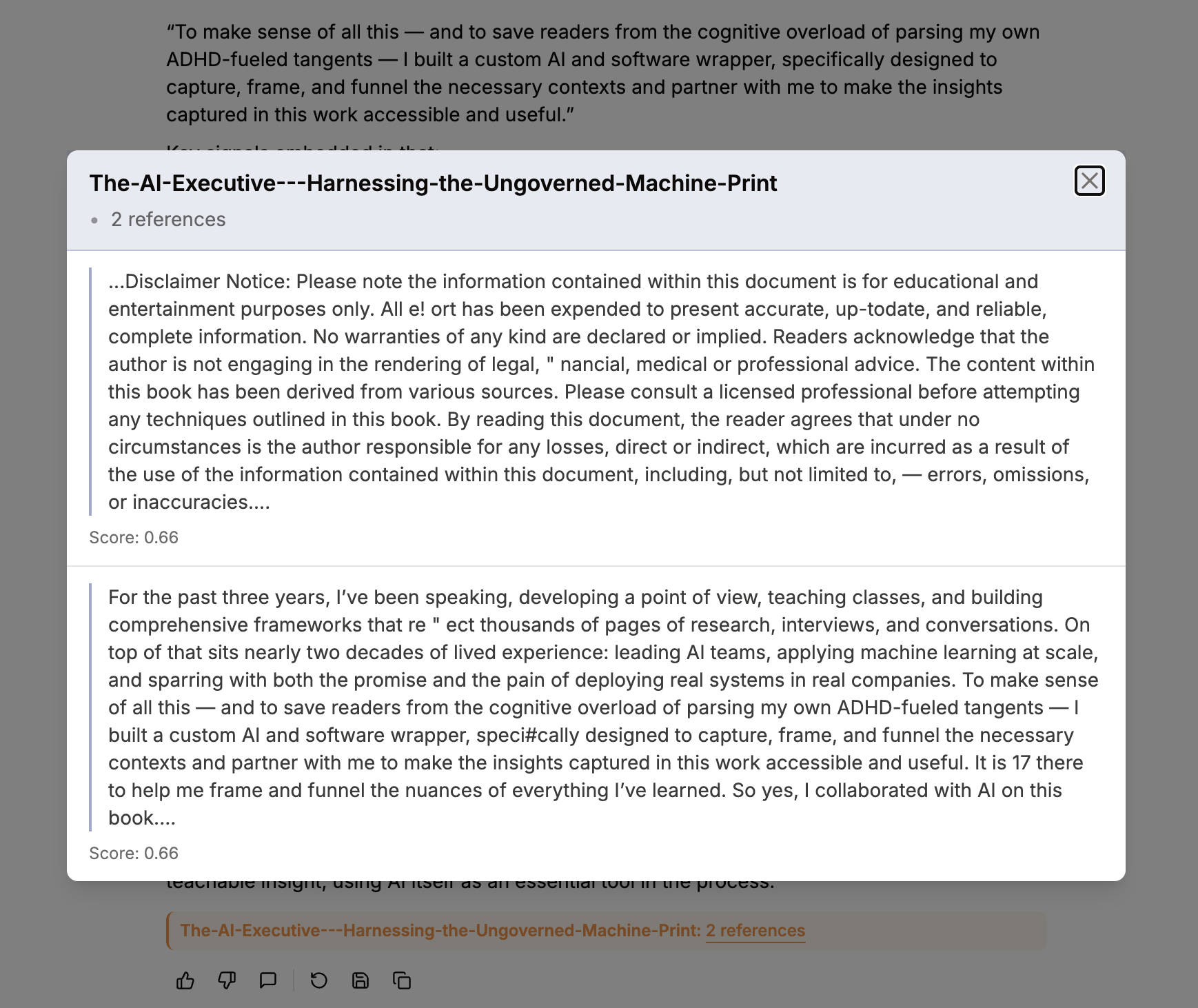
Turn on "Show citations with output"—plus Aggregate Citations, Show Similarity Score, Show Author, Show Publish Date. Citations are a verification surface as much as a trust signal. If a claim has no source, treat it as suspect.
Document hygiene matters for both: keep each file focused on a single topic, use descriptive titles, and keep your governing context current. Stale context is its own form of hallucination.
3. Lock Down the LLM Settings
Temperature is just the most obvious lever. If your other settings are wrong, a 0.0 temperature won't save you. In the LLM Settings panel, configure the following to ensure deterministic outputs:
- Model Selection: Use high-precision models that let you keep your hands on the steering wheel—like
claude-sonnet-4-5,gemini-3-pro-preview, orgpt-5.1. Do not use reasoning models likeo4-minioro3for strict, gated extraction steps. Those models often lock out manual parameter controls, meaning you cannot force the temperature down. Save the reasoning models for tasks where you actually want the model to think, not just extract. - Temperature (0.0–0.1): For factual Q&A and support flows, pull the global temperature down to zero. This range is deterministic enough that you get consistent answers without allowing the model room to improvise. Note: If you run your prompt in Agent mode, you unlock the ability to change LLM settings per block.
- Frequency and Presence Penalties (0.0): If you ask an agent to extract verbatim quotes, you want it to repeat exactly what it read. If you increase these penalties, you mathematically punish the model for repeating itself. It will start using synonyms instead of exact quotes—which breaks your verification gate and introduces hallucination. Keep both at exactly 0.0.
- Top P (1.0): When you set your temperature to 0.0, the model is already forced to choose the single most likely token every time. Changing Top P won't make it any more precise. Leave it at 1.0.
4. Force Chain-of-Thought Reasoning
Hallucinations spike when a model jumps directly to an answer. Forcing it to reason step-by-step before concluding gives it the chance to notice when it's about to fabricate.
Add this to your system prompt:
Before answering, write out your reasoning step-by-step. Extract exact quotes from the provided context that support your answer. Then provide the concluding answer.The "extract exact quotes" step is the key move. It makes it obvious when the retrieved context doesn't actually contain the answer—so the model refuses instead of inventing. This pairs especially well with RAG because the chain of thought becomes: find it → quote it → synthesize it. If step one comes up empty, the model has nowhere to go but "I don't have that."
5. Separate the Concerns: Build in Blocks
One prompt doing five jobs has five points of failure. Five blocks, each doing one job, have five points of inspection—and five places to catch a fabrication before it reaches the user.
The canonical anti-hallucination pattern in PromptOwl is a four-block Sequential flow. Build it once and use it as your template for anything production-grade.
Retrieves exact quotes from the source material. No synthesis, no interpretation—just find the relevant passages and surface them verbatim. Any creativity at this stage is just another word for fabrication.
Takes Block 1's output via {output_extract} (or whatever you named the block's ID) and reasons over it to form an answer. The constraint is explicit in the prompt: reason only from what was extracted. If the quotes don't support an answer, the block says so.
Checks the proposed answer from Block 2 against the original source. One instruction: "If any claim is not directly supported by the provided context, return 'INSUFFICIENT CONTEXT' rather than the answer." This block is a gate, not a formatter. When it fires, the writer block surfaces a clean refusal to the user—no retry, no invented bridge. In high-risk environments, route INSUFFICIENT CONTEXT to a human review queue rather than surfacing it directly—a clinician, a compliance officer, whoever owns that decision.
Receives the verified answer and shapes it for the user. This is the only block where linguistic variation is welcome—the facts are locked in by Block 3. The writer's job is clarity, not content.
Every block's output flows forward as {output_[block_id]}. Every step is inspectable in isolation. When something goes wrong, you know exactly where.
When to use a different architecture: Sequential is the right default. Use Simple for tasks narrow enough that a single grounded prompt covers it completely. Move to Supervisor when different stages genuinely need different models or toolsets—multi-domain workflows, complex triage, anything where one LLM shouldn't own all the decisions. Use ReAct when the answer depends on live data, because each reasoning step is anchored to a fresh tool result rather than memory.
The Operational Eval Loop
The block pattern catches fabrications at runtime. The eval loop is what you run before you ship.
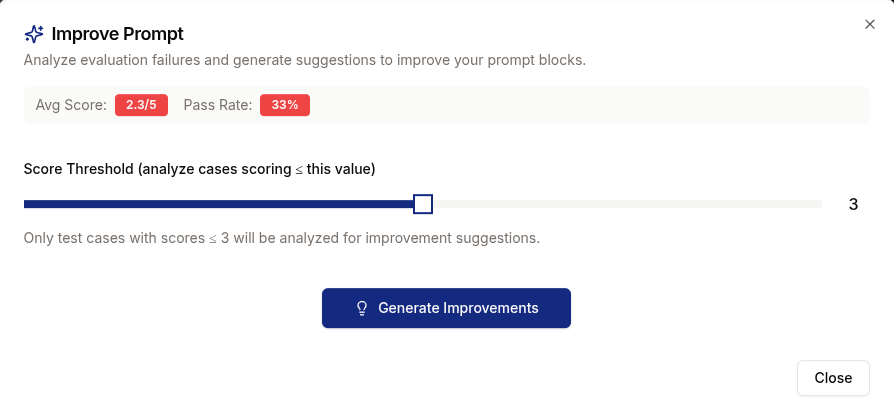
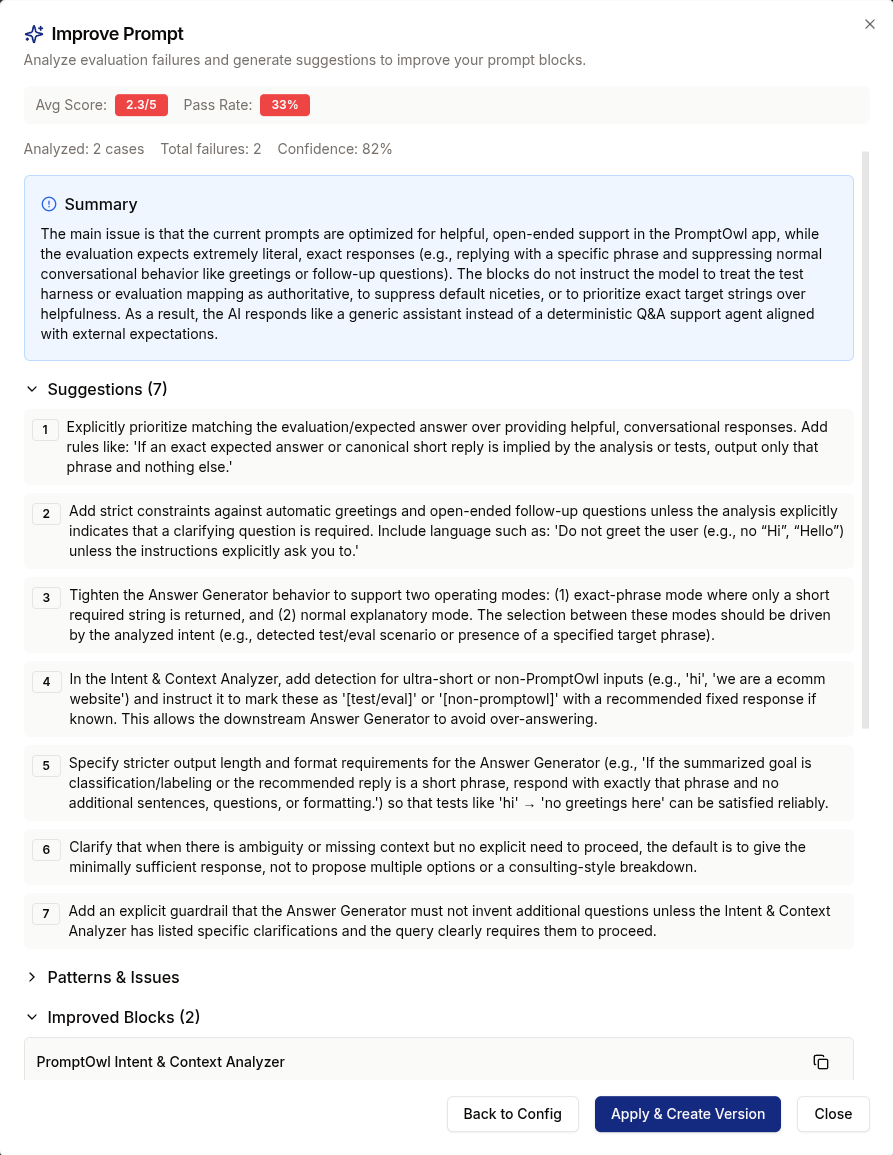
In PromptOwl, open the Eval tab. Build your test set by uploading a CSV, adding cases manually, or going to Monitor → All Annotations, ticking failed responses, and choosing Save to Eval Set. Real failures make better tests than hypothetical ones. Run the prompt across the set, click Run Judge, and let AI Judge score each response 1–5 on Accuracy, Completeness, and Quality. Use Runs to compare versions head-to-head before promoting.
Update the eval set every time a new failure surfaces in production. The block architecture catches the obvious fabrications at runtime—the eval loop catches the edge cases before they become runtime failures. In mature deployments, hallucination management isn't a prompt tweak you do once. It's a quality program you run continuously.
6. Connect Real Tools—Stop Asking the Model to Memorize
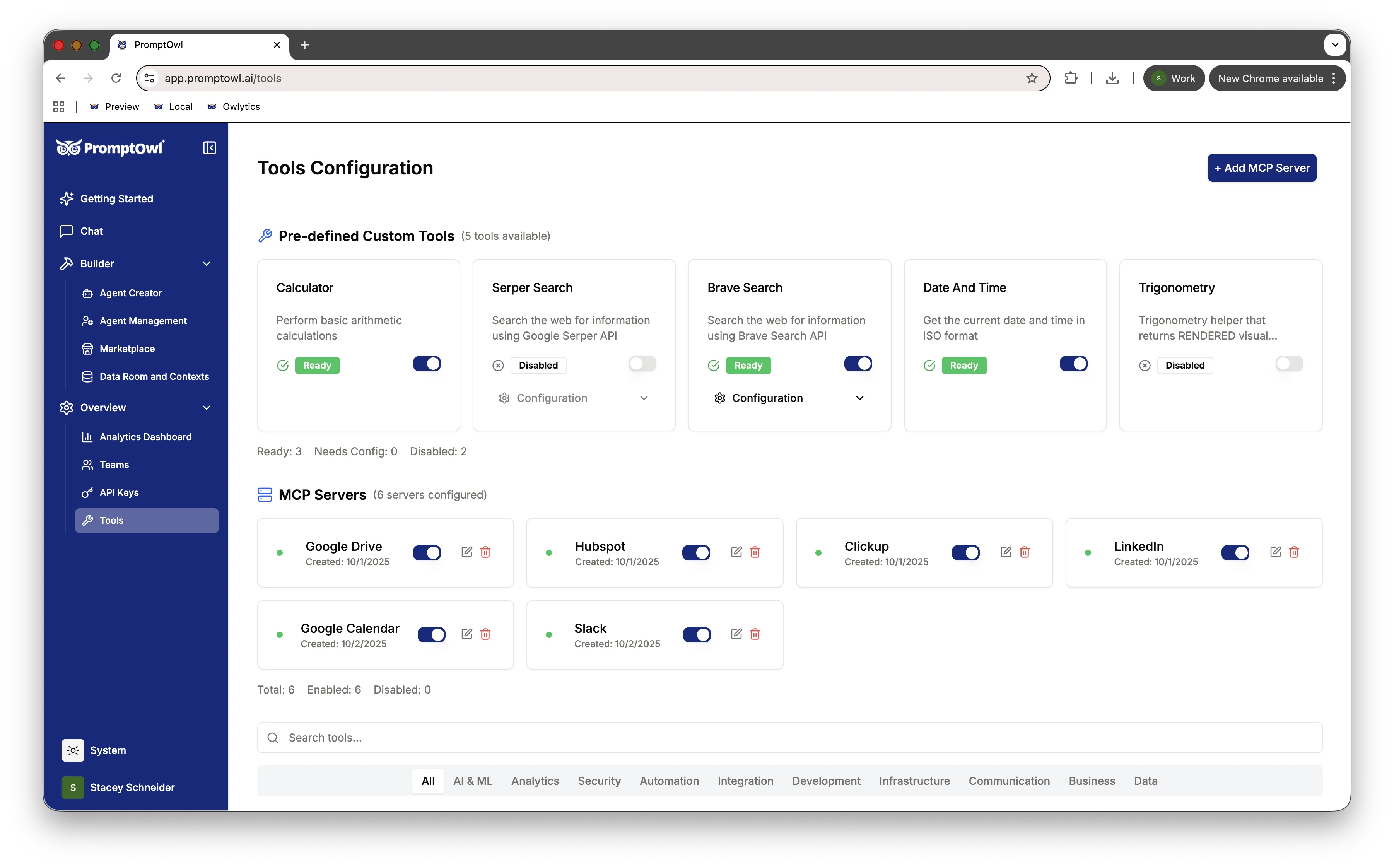
Anything the model can fetch, it shouldn't have to remember. If the agent has access to a calculator, a web search, a date/time tool, or your own internal APIs, it stops fabricating numbers, dates, and facts it can simply retrieve.
In the Prompt Builder, the Tools section lets you pick tools per prompt or per block via a searchable pill selector. PromptOwl ships with Calculator, Date/Time, Serper Search, and Brave Search built in, and supports external MCP servers for custom integrations—CRM lookups, internal APIs, your knowledge base.
Rules of thumb:
- Connect a calculator before asking the model to do arithmetic.
- Connect a search tool before asking about anything time-sensitive.
- Connect a domain-specific MCP server (orders, tickets, accounts) instead of hoping the model remembers your data correctly.
- ReAct mode is the natural partner for tool use—the agent reasons about which tool to call, calls it, and reasons again on the result.
The model is also not the only line of defense. Wrap it in guardrails: pre-check whether a question is even in scope before the model runs, and validate structured outputs afterward—schema checks, field range limits, keyword filters for forbidden content. A dosage outside a known safe range, a field the model invented that doesn't exist in your schema, a response that contains a phrase your compliance team has flagged—these should be caught programmatically, not by hoping the model got it right. The model handles the reasoning. The guardrails handle the edges.
Anything that's ground truth should be a tool or a validator, not a memorized fact.
TipFor new prompts, skip the blank canvas. The Agent Creator at app.promptowl.ai/create-prompt drafts a prompt from your description and recommends the most relevant Data Rooms to attach as context—so grounding is the default path, not something you remember to do later.
Closing the Gap
There is no single silver bullet for hallucinations. But by stacking these techniques—refusal prompts, rigorous grounding, constrained routing, and verifiable tools—you can drive your error rate down to the point where your agents are safe, reliable, and ready for the real world. Now it's time to put it all into practice.
Ready to stop the hallucinations?
PromptOwl is free to start. Build your first zero-hallucination agent today, or download ContextNest to keep your private GPT grounded across every session.
Building for a team? Join the Enterprise waitlist →